
Fortnite Chapter 7 Season 4 · Override
Fortnite Sprite Checklist & Sprite Tracker
The Fortnite Sprite Checklist and Fortnite Sprite Tracker in one — log every Sprite and variant, see what you're missing, and know exactly what to chase next. 27 verified Sprites · 162 released variants · saved in your browser — no sign-in.
Verified roster: 27 Sprites / 162 variants. Newest: One Wish Willow and Honey, released October 15 with v42.40, plus five Quack Sprites from the final Sprite Mastery rewards. 27 verified Sprites · 162 variants · New: One Wish Willow
100% free to use — no account needed. Optional $9.99 one-time Cloud Sync + PDF + HD PNG for your phone, PC, printable checklist, and HD images.
What is the Fortnite Sprite Checklist?
The Fortnite Sprite Checklist is a free collection tracker built for one job: telling you, in seconds, which Fortnite Sprites you still need. Open the Fortnite Sprite Checklist after a match, mark the Sprites you extracted, and your Collection and Mastery progress update instantly. Everything saves in your browser, so the Fortnite Sprite Checklist is ready the next time you come back — no account and no lost progress. Unlike a screenshot folder or a Discord note, this Fortnite Sprite Checklist keeps every Sprite, variant, and rarity in one grid, with a clear “what to chase next” pick so every run has a target. Rate-based recommendations stay paused until trustworthy Season 4 odds are published.
Verified against the live roster on 2026-10-23 · patch v42.40.
A Fortnite Sprite Tracker and checklist in one
Some players want a Sprite Tracker to log what they own; others want a checklist to see what they still need. This tool is both. As a Fortnite Sprite Tracker it records every Sprite you extract and keeps your Collection and Mastery counts current; as a checklist it turns those numbers into a clear missing list and a next-to-chase pick. So whether you searched for a Sprite Checklist, a Sprite Tracker, or a full Fortnite Sprite Tracker, you land on the same fast tool — mark a Sprite, watch the Fortnite Sprite Tracker update, and get back to the match. No sign-in and no setup: just one Fortnite Sprite Checklist and Sprite Tracker that remembers your progress.
What are Fortnite Sprites?
Fortnite Sprites are collectible companion creatures that return with a new generation in Chapter 7 Season 4 “Override.” Each Sprite grants a passive ability while equipped, and once you extract it at an Extraction Site it is permanently added to your collection — die before extracting and it is gone. That risk is exactly why a Fortnite Sprite Checklist matters: you need to know which Sprites are missing before a chancy run. Sprites come in four rarities — Rare, Epic, Legendary, and Mythic — and most appear in several variants, so the full set is much larger than the creature count alone.


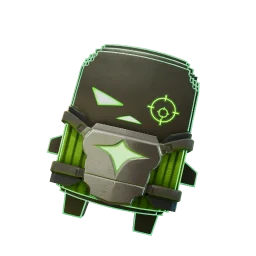

How to use this Fortnite Sprite Checklist
Using the Fortnite Sprite Checklist takes seconds. Tap a Sprite card to mark it collected, and tap the crown to mark it mastered. Switch to “Missing” to see only what you still need, or search by name — Bush, Sonic, Klombo, or Cheat Master. The “Next to chase” panel suggests the rarest missing Sprite or easiest pull once rates are published; “Closest set” works immediately from your own collection. When you are done, copy a share link or backup code so the Fortnite Sprite Checklist follows you to another device, or to a friend who wants to compare collections.
Collection and Mastery on one Fortnite Sprite Checklist
Finishing a Sprite is really two goals, and this Fortnite Sprite Checklist tracks both. Collection counts every variant you have extracted; Mastery counts the Sprites you have leveled to 5 and officially mastered. Most trackers show a single number, but completion hunters care about both, so the Fortnite Sprite Checklist puts two progress rings at the top — green for Collection and gold for Mastery — so you always see how close you are to a complete, fully mastered collection.
Why missing variants matter
“I have Klombo” is not the same as “Klombo is complete.” Season 4 Sprites appear as Normal, Gold, Cheat Master, Loot Hacker, Bounty Hunter, and Trick or Treat forms, and five of them — Klombo included — also have a Quack form, so each is its own unlock — the whole reason to keep a Fortnite Sprite Checklist instead of a mental list. The Fortnite Sprite Checklist treats every variant as a separate row, so the Missing view shows exactly which forms you still need. When a family is complete it is done; at 6/7 you instantly see whether the gap is Gold, Cheat Master, Loot Hacker, Bounty Hunter, Trick or Treat, Quack, or the base Normal Sprite.
How to get and extract Sprites
Sprites drop from Sprite Chests (guaranteed one each) and, at lower odds, from regular chests, Rare Chests, supply drops, and defeated players. Finding one is only half the job — you must carry it to an Extraction Site or use a Portable Extractor and finish extracting before the match ends. Banked Sprites can be re-summoned with Sprite Dust. Keep the Fortnite Sprite Checklist open so you always know which Sprite is worth the risk and which variant finishes a set.
Fortnite Sprite variants explained
Variants turn a short creature list into a real collection. Gold Sprites give bonus elimination XP. The new Cheat Master variants make every input count as correct when entering Cheat Codes found around the island. Loot Hacker, the third special line added by v42.10, increases the chances of items spawning from your Loot Hacks and has been live for every Sprite except Mega Man since September 10, with each newer Sprite getting it on day one. Bounty Hunter, the fourth, has a chance to find Sprites when you eliminate opponents and gains Sprite XP only from eliminations; Bounty Hunter Crown went live on September 17 as a mastery unlock (win with Loot Hacker Crown equipped), the rest of the line followed on September 24, and Birthday arrived with its own on September 26. Trick or Treat, the fifth, has been live for every variant-capable Sprite since October 8. Quack returned in v42.40 as the final Sprite Mastery reward for five Sprites (Jonesy, Bush, Adventure, Spooky Dash, and Klombo) and gives the other Sprites you carry extra Sprite XP whenever it gains XP. Season 3 forms such as Gummy, Galaxy, Gem, Holofoil, and Cube, plus the Season 3 Quack Sprites, remain available in the separate Season 3 checklist. The variant and rarity views filter the current grid to one theme, so collecting every Cheat Master or every Gold Sprite becomes a focused, checkable goal.






One Season 4 Sprite, 7 released variants — Bush as Normal, Gold, Cheat Master, Loot Hacker, Bounty Hunter, Trick or Treat, and Quack.
An always-updated, accurate Fortnite Sprite Checklist
A Sprite Tracker is only useful if it is current. This Fortnite Sprite Checklist shows a visible “last updated” date and patch number, and new Sprites appear the same day. Every Sprite, rarity, variant, and drop rate on the Fortnite Sprite Checklist is checked against Epic's notes and the live Sprite directory. Drop rates are not treated as 0% while the source has not published them, and when sources disagree on the total, the Fortnite Sprite Checklist shows the verified number instead of an inflated one — so you can trust what you are chasing.
Use the Fortnite Sprite Checklist on any device
The most common way to use a Fortnite Sprite Checklist is with your phone in one hand while you play on console or PC, which makes it a perfect pocket Sprite Tracker — fast, mobile-friendly, and tap-to-mark, with a compact grid and large touch targets. Your progress is stored on the device you use, and a backup code carries the same Fortnite Sprite Checklist between phone, tablet, and desktop without an account. Whether you are chasing 100% completion or trading duplicates with friends, the Fortnite Sprite Checklist adapts to how you play: use the closest-set view to finish one family at a time, and switch to rate-based sorting once verified Season 4 odds are published. A share link turns your collection into something a friend can open instantly, so trades are easy to line up.
Explore the full Sprite database
Every page below is built from the same verified roster this Fortnite Sprite Checklist runs on — browse Sprites by rarity, dig into each variant, check the exact drop rates, or read the guides before your next run.
By variant
Guides
Fortnite Sprites FAQ
What is a Fortnite Sprite Checklist?
A Fortnite Sprite Checklist is a free tool that tracks which Fortnite Sprites you have collected, shows what you are missing, and suggests what to chase next — saved in your browser, no sign-in.
How many Sprites are there in Fortnite?
As of 2026-10-23 (patch v42.40) there are 27 verified released Sprites and 162 released variant rows in Chapter 7 Season 4. v42.40 added the newest Sprites on October 15: One Wish Willow (Mythic, from the Obsession collab) and Honey (Epic, a Design-A-Sprite winner), each with all six forms live. The same update added Quack forms of Jonesy, Bush, Adventure, Spooky Dash, and Klombo as the final Sprite Mastery rewards. Every other released Sprite except single-form Mega Man has six live forms.
Does the Fortnite Sprite Checklist save my progress?
Yes — progress saves locally in your browser. Copy a share link or backup code to move your Fortnite Sprite Checklist to another device or compare collections with a friend.
Can it import my Sprites from my Fortnite, Xbox or PlayStation account?
No. Sprite Checklist is an unofficial fan tracker and Epic does not let other sites read your Sprite collection, so you tick the Sprites you have collected and mastered yourself. Cloud Sync then copies those ticks to every device you sign in on.
Is the Fortnite Sprite Checklist free?
Yes. The complete tracker is free, needs no account, and runs in any browser. Optional Cloud Sync, unlimited printable PDFs, and advanced PNG exports are a one-time $9.99 upgrade. Existing Cloud Sync buyers also get PDFs and advanced PNG exports included.